ANALOGALCHEMY / GUIDES / YOUR AI VOICE
Train an AI to sing in your voice — locally.
GUIDE · UPDATED JUNE 2026 · ONE EVENING, START TO FINISH
Most "AI voice" tools want your recordings on their servers. This guide does the opposite: by the end of it you'll have a personal voice adapter — a small AI model of your singing voice — trained on your own Mac, stored in your own music folder, and used to render any song you generate from then on. Nothing about your voice ever leaves your disk.
One rule before we start: this is for your voice. Cloning someone else without consent is off-limits — legally, ethically, and by design here.
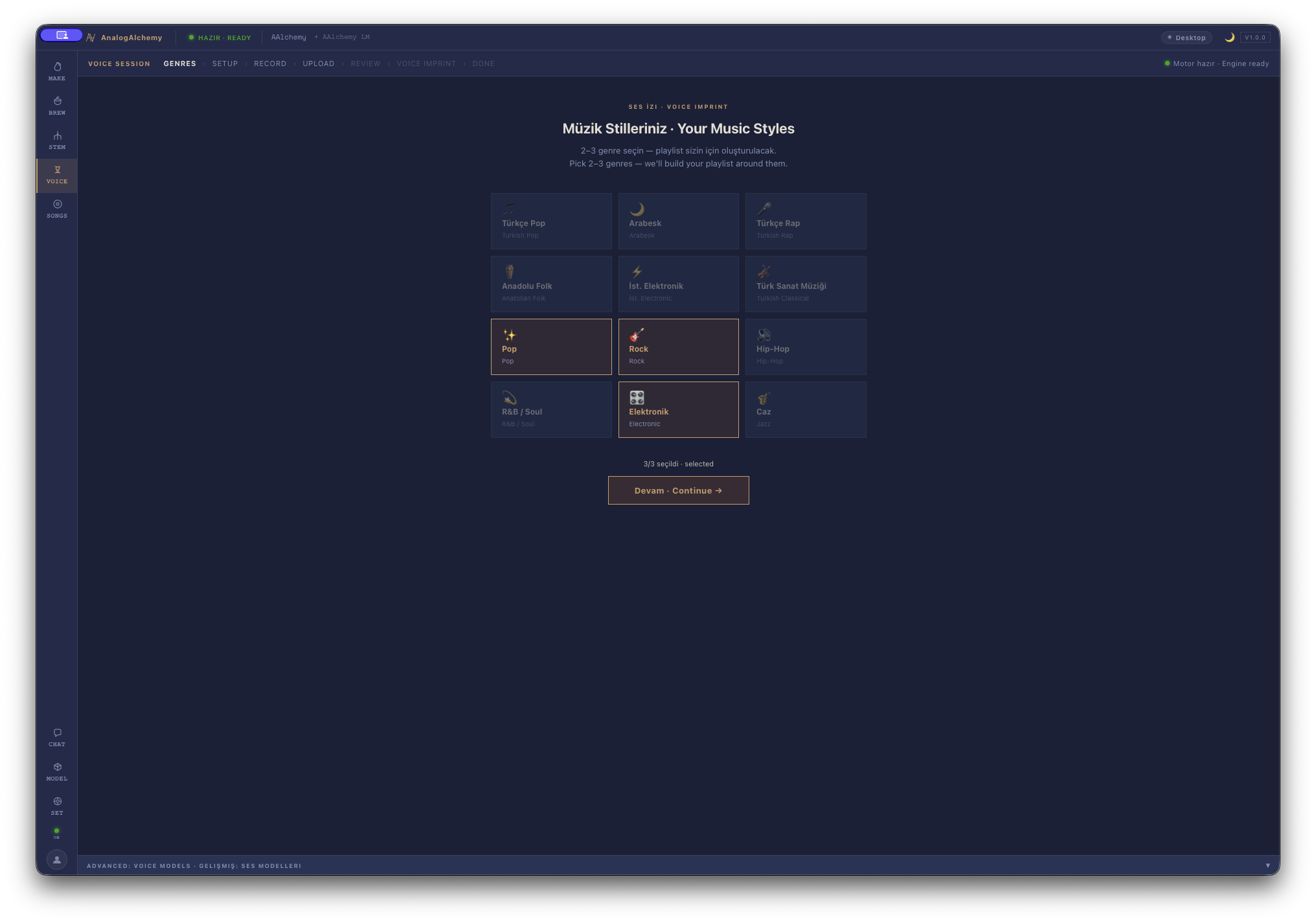
STEP 1Pick the styles you actually sing
Open Voice and choose your genres — arabesk, pop, rock, whatever is honestly yours. The app builds the session playlist from this, so the songs you'll record sit in territory your voice already knows.
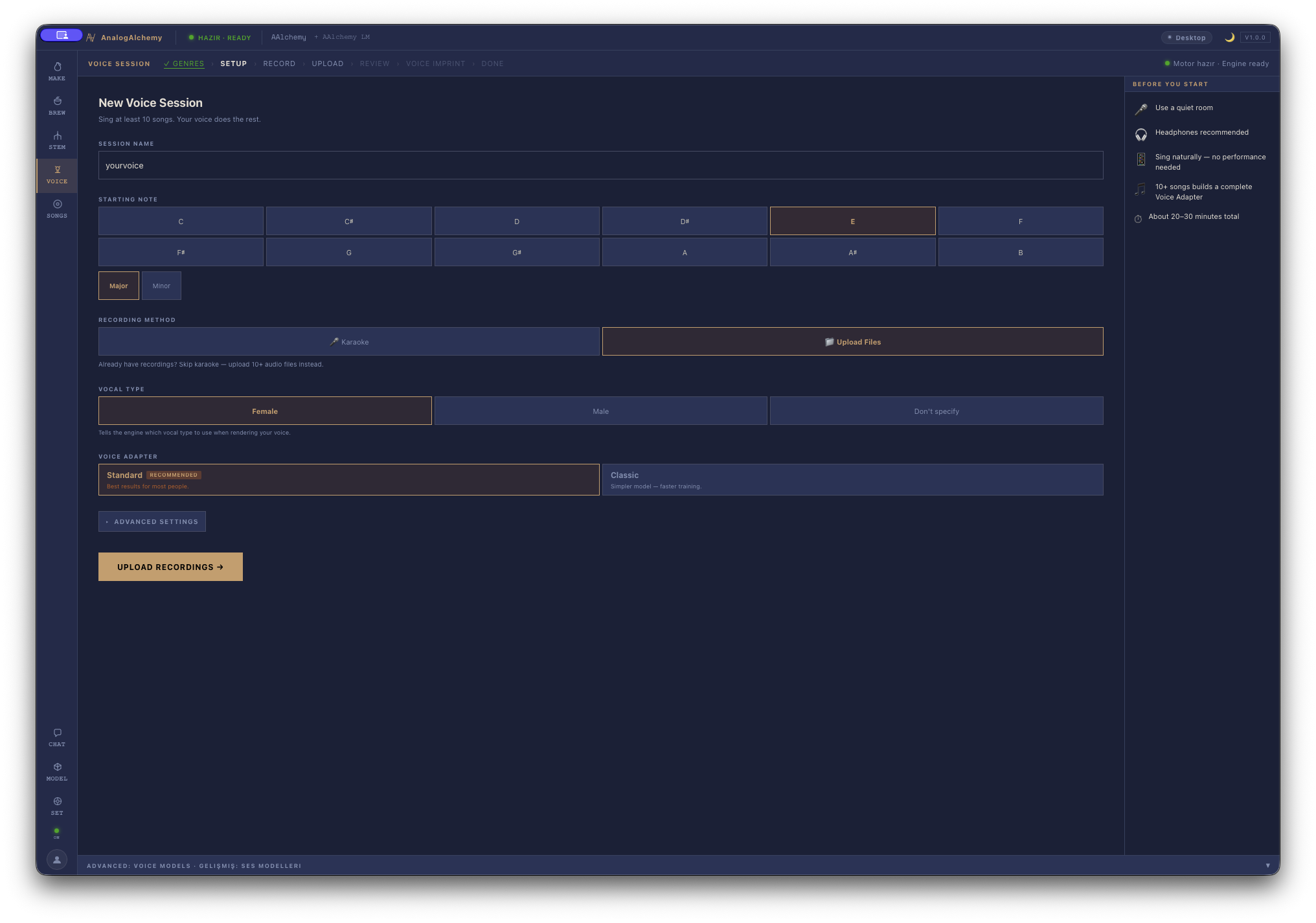
Set up the session
Tell the wizard your comfortable starting note and vocal type. This keeps the karaoke material inside your range — straining for notes you don't have teaches the model a voice you don't want.
Record — or upload — ten or more songs
Two roads, same destination: sing karaoke-style into the app, or drop in recordings you already have. Ten songs is the floor; variety is what raises the ceiling. Mix quiet verses with belted choruses, different tempos, different moods. A decent microphone in a quiet room beats a great microphone in a noisy one.
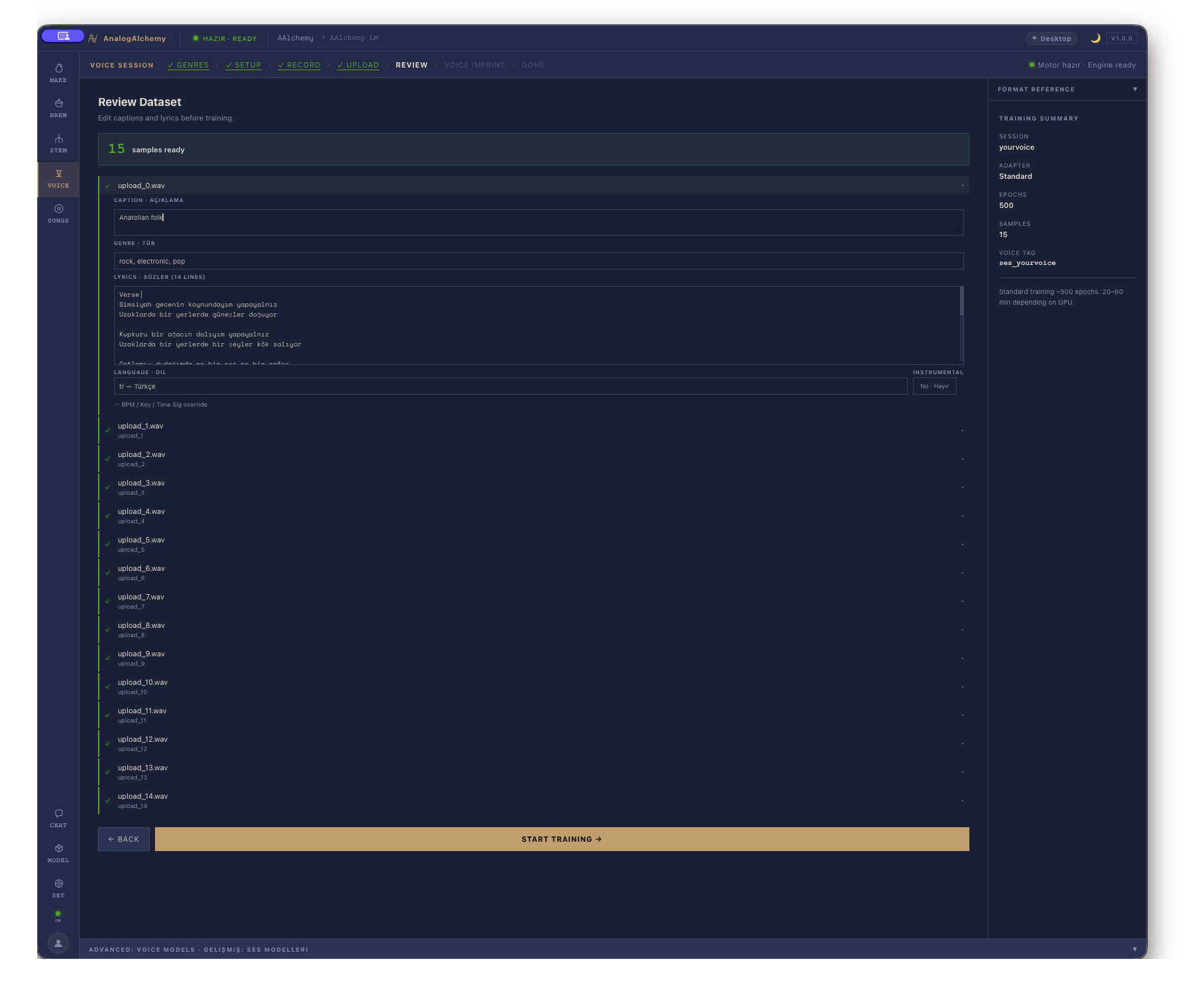
STEP 4Review the dataset
Before training, the app shows every captured sample with its caption and lyrics. Listen through and cut the weak takes — one mumbled bridge won't ruin the model, but consistently sloppy material trains a consistently sloppy voice. Quality in, quality out.
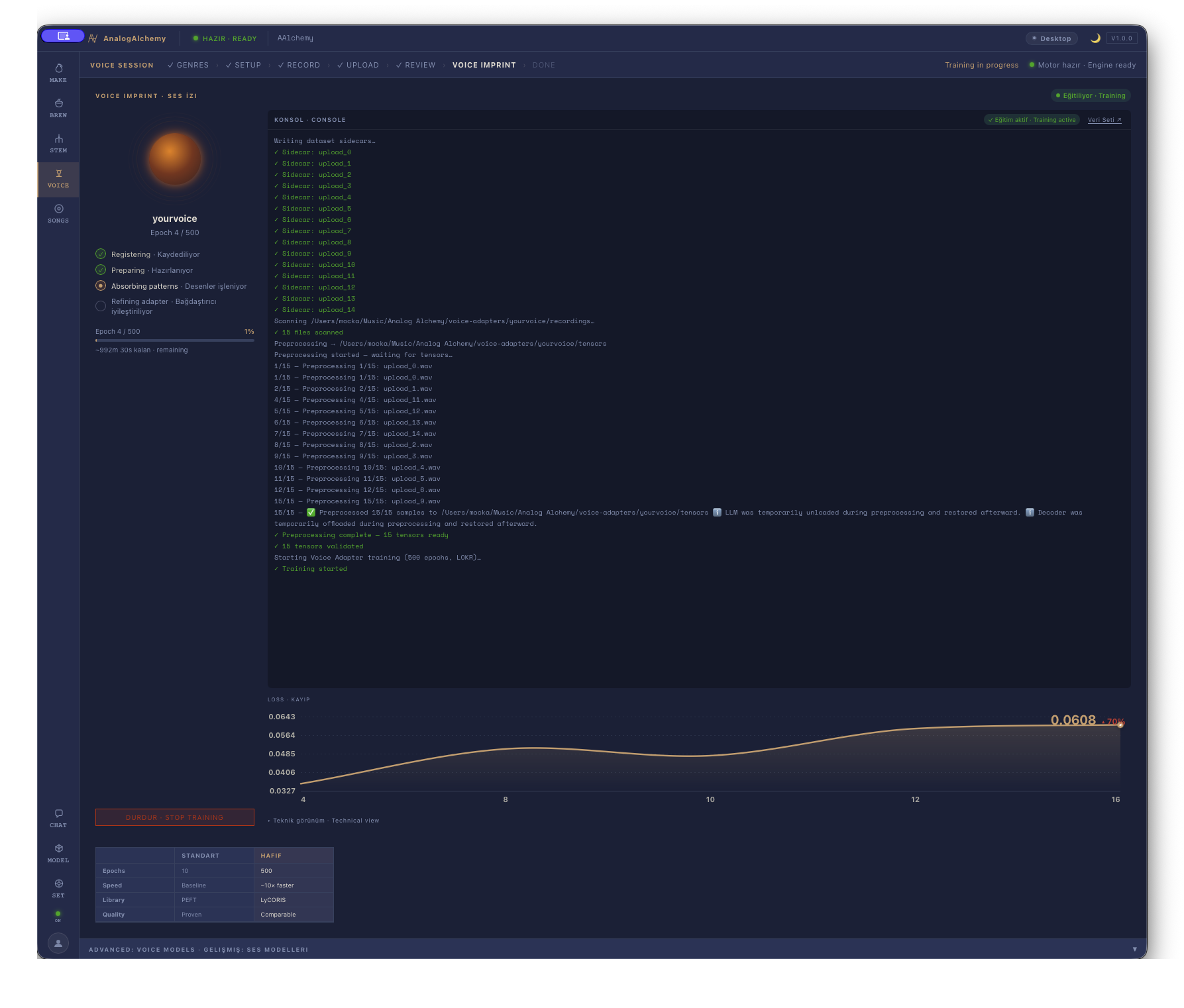
Train — and watch it learn
Hit train and the lab takes over: a live console, a falling loss curve, 500 epochs counting up — all running on your Mac's GPU cores. It's a coffee break, not a weekend. There is no upload step because there is nowhere to upload to.
Sing everything
Done. From now on, any song you generate — tonight's arabesk, next week's synth-pop experiment — can render in your voice. The adapter lives in your music folder like any other file: yours to back up, yours to delete, nobody else's to hold.
What makes a good dataset — and what ruins one
The voice adapter is only as good as the material you give it. The floor is ten recordings; quality is what raises the ceiling above that.
- Variety of pitch and register matters more than sheer count. If all ten recordings are in the same midrange key at the same moderate volume, the adapter learns a narrow slice of your voice. Include quiet passages, belted peaks, low notes, and different tempos. The model needs to hear the full instrument, not just one setting.
- Clean recordings, consistent mic. Record in the quietest room you have access to. A USB mic at your desk in a carpeted room beats a professional mic in a reverberant kitchen. Heavy room echo bleeds into every sample and teaches the model to reproduce that echo as part of your voice — which is not what you want.
- One recording setup, start to finish. Switching between a phone mic for half the songs and a condenser for the other half creates two slightly different acoustic signatures. The adapter averages them into something that captures neither properly.
- Avoid overlapping audio. Don't record over backing tracks with loud instrumentation bleeding into the vocal mic. The model should hear your voice cleanly against a quiet or well-separated background.
- Styles you actually sing. Training on genres you don't know well produces an adapter that sounds unsure in those styles and may muddy your real character. Stick to territory where your voice is natural and confident.
What to expect — and what not to
A voice adapter trained on your recordings captures timbre and character — the specific color, weight, and texture of your voice that makes it recognizably yours. That part translates well.
What it doesn't do: produce a perfect phoneme-by-phoneme clone of every mannerism you have on a good day in a great studio. The output is a musical impression of your voice, not a forensic copy. Most people find it convincingly theirs; a few find it captures the character but not every quirk. Both reactions are normal.
Also expect the quality of the adapter to reflect the quality of the underlying generation. A voice adapter on top of a weak or mismatched musical generation will sound off — the issue may not be the adapter itself. Try the adapter on different styles, BPM settings, and prompts to find where it sits most naturally.
Troubleshooting: robotic output or unstable results
If the generated vocals sound robotic, wavery, or generically "AI-voiced" rather than like you, these are the most common causes:
- Too few recordings, or not enough variety. The model can't extrapolate a convincing voice from ten nearly-identical takes. Add more material across different registers, tempos, and moods.
- Weak takes in the dataset. One or two recordings where you were straining, off-pitch, or singing through a cold can drag the whole adapter off-center. Go back to the dataset review screen and cut them. The app shows every sample — listen through critically and be honest about which ones don't represent you at your best.
- Background noise or room reverb in the recordings. If the model was trained on noisy material it will reproduce that noise as "part of the voice." Re-record the worst offenders in a quieter space and retrain.
- Mismatch between training styles and the song being generated. A voice adapter trained on slow arabesk ballads applied to a fast hip-hop beat will struggle. The adapter works best when the generated style overlaps with what you recorded.
Questions people ask
How many songs do I need?
Ten minimum. Variety in dynamics, tempo and register matters as much as count.
Is anything uploaded?
No — recording, training and the finished voice model all stay on your machine.
Can I train someone else's voice?
No — it's designed for your own voice, with your own recordings, by deliberate choice.
The adapter sounds robotic — what do I fix first?
Start with the dataset: drop any weak or noisy takes from the review screen, then add more variety — different keys, dynamics, and tempos. Most instability traces back to thin or inconsistent training material, not the training process itself.
Your voice is the instrument.
Voice training is fully unlocked in the free 14-day trial. No account, nothing uploaded.
MACOS 14+ · APPLE SILICON · WINDOWS COMING SOON
MORE GUIDES: STEM SEPARATION · AI REPAINT · TEXT-TO-SONG SETTINGS